








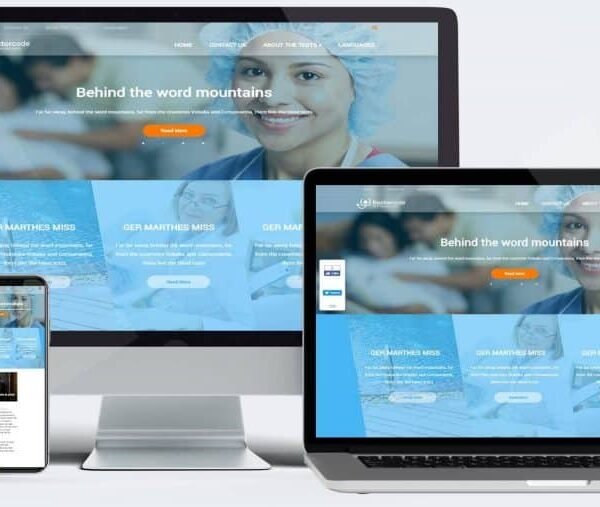
Design a home page with animated sliders for your clinic or hospital.
Inner Pages module, you can add/edit/delete the content of these pages.
Contact Us Page – contains a contact form that, when filled out, sends the data to an email address of your choice. Clinic/hospital appointment booking form page. Internal pages for the therapeutic services provided by the clinic/hospital. Photo album of the clinic and the operations that have been performed. The design is compatible with all mobile devices, tablets, computers and laptops. A control panel for the entire content of the site. The site is in one language, Arabic or English. Domain name reservation .com, .net, .org. SSL certificate to secure the site. The site is designed within 15 working days from the day of receiving the complete data for the site.
In this age of advanced digitalization, having a professional website has become essential for any clinic or hospital seeking to deliver its services effectively. A well-designed website not only enhances the image of the medical institution, but also plays a vital role in improving the patient experience and facilitating access to medical services. In this description, we will discuss the importance of designing a website for clinics and hospitals, and review the most important features that it should include to make the most of the institution’s digital presence.
Professional design that reflects medical professionalism
Website design is one of the key factors that influence the visitors’ first impression. The design of a clinic or hospital website should be professional and reflect the seriousness and reliability of the medical sector. This includes the use of calm and harmonious colors, clear lines, and high-quality images related to medical services. A professional website design provides confidence to patients and helps build a positive relationship with them from the first moment they visit the site.
Easy to navigate user interface
User experience is a key component of any successful website. The user interface of a clinic or hospital website should be easy to navigate and allow visitors to quickly and easily access the information they need. Menus should be clearly designed, easy-to-use navigation buttons should be provided, and information should be presented in an organized manner. This includes providing dedicated sections for the clinic or hospital’s services, information about doctors, medical specialties, and available health offerings.
Online Appointment Booking System
One of the essential features that a website should include is an online appointment booking system. This system allows patients to easily schedule appointments without having to call or visit the clinic in person. The system should be easy to use and provide flexible booking options, including choosing the doctor, specialty, and appointment timing. An online booking system provides convenience to patients and helps improve the efficiency of appointment management.
Useful and educational medical information
A website provides an excellent opportunity to provide useful and educational medical information to patients. The site can include articles, health tips, and information about various diseases and treatments. This content not only helps educate patients, but also enhances the credibility of the clinic or hospital as a reliable source of medical information. In addition, the site can include explanatory videos, webinars, and interactive tools that help educate patients and improve their understanding of the services provided.
Mobile compatible
Nowadays, many users browse the internet via smartphones and tablets. Therefore, a website must be responsive to all devices. Responsive design ensures that the website looks perfect on different screens and works efficiently, enhancing the browsing experience and increasing accessibility to medical services from any device.
Social media integration
Integrating your website with social media can be a powerful tool for engaging with patients and enhancing your digital presence. The website should include links to your practice or hospital’s accounts on platforms like Facebook, Twitter, and Instagram, and allow visitors to share health content and information. Social media can also be used to promote special offers, share medical news, and organize health events.
Search Engine Optimization (SEO)
Search engine optimization is an essential part of increasing a website’s visibility in search results and attracting more visitors. A website should be optimized according to SEO best practices, including using relevant keywords, optimizing images, and ensuring that pages load quickly. SEO helps increase a website’s visibility in search engine results, making it easier for potential patients to find your clinic or hospital.
Analysis and measurement tools
Analytics and measurement tools help track website performance and understand visitor behavior. The website should include analytics tools that provide information about visitor numbers, traffic sources, and browsing behaviors. With these tools, the clinic or hospital can improve its digital strategies and provide a better user experience based on the data collected.



Absolute Addons for Elementor
In stock

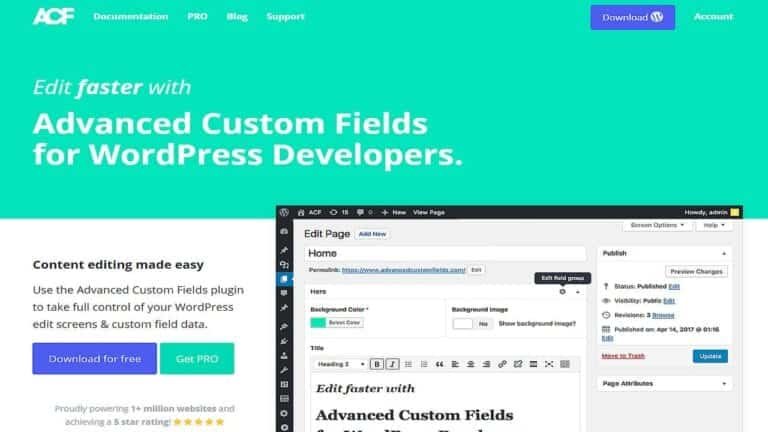
Advanced Custom Fields (ACF)
In stock

Advanced Database Cleaner PRO
In stock

Advanced Scripts
In stock


All-in-One WP Migration Unlimited Extension
In stock

Amelia Pro Booking
In stock

Astra pro
In stock

Avada
In stock

Beaver Builder
In stock


Blocksy Theme
Out of stock

Bricks Builder
In stock

Canva Student
In stock

Canva Teacher
In stock


Cart Flows
In stock

Crocoblock Full Suite
In stock




Reviews
Clear filtersThere are no reviews yet.